
Klok
Clock
Display an analogue, flip or digital clock in Layouts.
Add Widget
Locate Clock from the Widget toolbar and click to Add or Grab to drag and drop to a Region.
On adding, configuration options are shown in the properties panel:
Provide a Name for ease of identification.
Choose to override the default duration if required.
Appearance
Use the drop-down menu to select the type of clock to display:
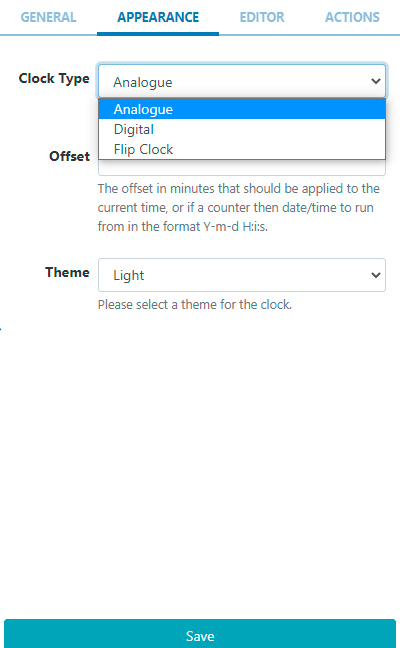
Analogue is a traditional clock face available in a Light or Dark theme (black or white face).
Digital has an additional Editor tab to enter formatting.
Enter text or HTML in the box provided or toggle on the Visual editor and click on the edit icon to access the inline editor:
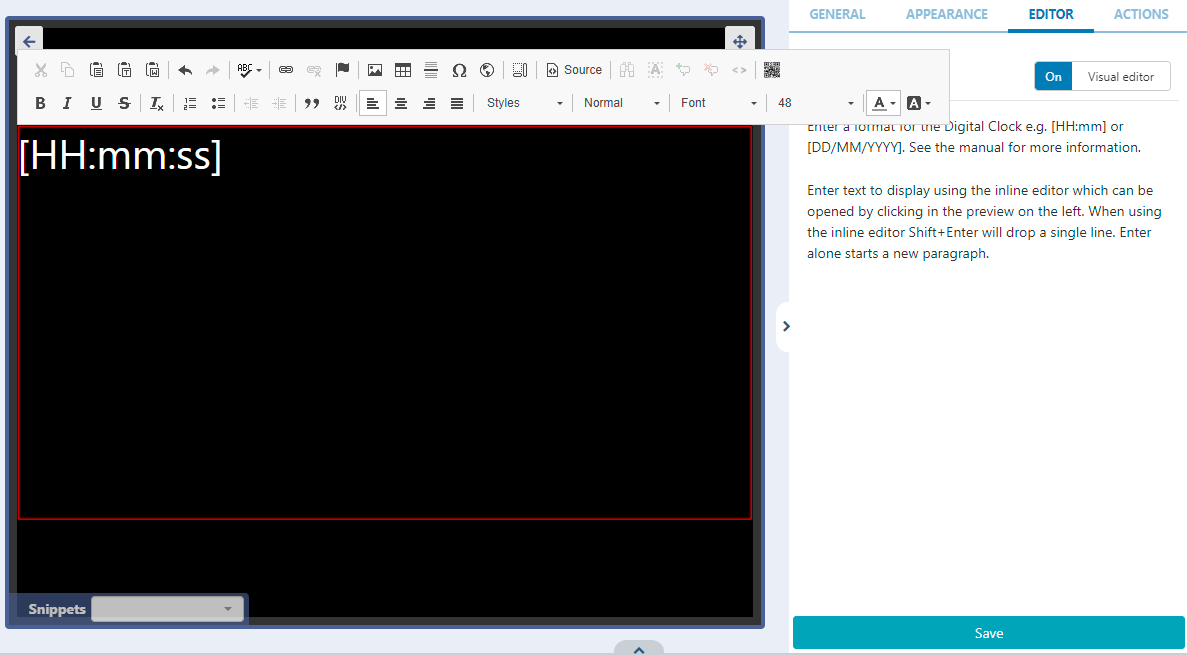
Use the editor to select font, size, colour and use Snippets to include available merge fields.
See the section at the bottom of the page for further information on date/time formats!
Flip Clock is a pre-formatted clock that animates a “flip” for each hour, minute and seconds (optional) elapsed.
The Flip Clock has Hourly, Minute and Daily Counter options which can run from a specified date/time to give a countdown!
Actions
Available from v3.0.0
Interactive Actions can be attached to this Clock Widget from the Actions tab. Please see the Interactive Actions page for more information.
Available Formatting
Date / time can be formatted by providing “tokens” that sit between square brackets [] in the template area.
Title | Token | Output |
|---|---|---|
Month | M | 1 2 … 11 12 |
Mo | 1st 2nd … 11th 12th | |
MM | 01 02 … 11 12 | |
MMM | Jan Feb … Nov Dec | |
MMMM | January February … November December | |
Quarter | Q | 1 2 3 4 |
Day of Month | D | 1 2 … 30 31 |
Do | 1st 2nd … 30th 31st | |
DD | 01 02 … 30 31 | |
Day of Year | DDD | 1 2 … 364 365 |
DDDo | 1st 2nd … 364th 365th | |
DDDD | 001 002 … 364 365 | |
Day of Week | d | 0 1 … 5 6 |
do | 0th 1st … 5th 6th | |
dd | Su Mo … Fr Sa | |
ddd | Sun Mon … Fri Sat | |
dddd | Sunday Monday … Friday Saturday | |
Day of Week (Locale) | e | 0 1 … 5 6 |
Day of Week (ISO) | E | 1 2 … 6 7 |
Week of Year | w | 1 2 … 52 53 |
wo | 1st 2nd … 52nd 53rd | |
ww | 01 02 … 52 53 | |
Week of Year (ISO) | W | 1 2 … 52 53 |
Wo | 1st 2nd … 52nd 53rd | |
WW | 01 02 … 52 53 | |
Year | YY | 70 71 … 29 30 |
YYYY | 1970 1971 … 2029 2030 | |
Week Year | gg | 70 71 … 29 30 |
gggg | 1970 1971 … 2029 2030 | |
Week Year (ISO) | GG | 70 71 … 29 30 |
GGGG | 1970 1971 … 2029 2030 | |
AM/PM | A | AM PM |
a | am pm | |
Hour | H | 0 1 … 22 23 |
HH | 00 01 … 22 23 | |
h | 1 2 … 11 12 | |
hh | 01 02 … 11 12 | |
Minute | m | 0 1 … 58 59 |
mm | 00 01 … 58 59 | |
Second | s | 0 1 … 58 59 |
ss | 00 01 … 58 59 | |
Fractional Second | S | 0 1 … 8 9 |
SS | 0 1 … 98 99 | |
SSS | 0 1 … 998 999 | |
Timezone | z or zz | EST CST … MST PST |
Z | -07:00 -06:00 … +06:00 +07:00 | |
ZZ | -0700 -0600 … +0600 +0700 | |
Unix Timestamp | X | 1360013296 |
Unix Millisecond Timestamp | x | 1360013296123 |