
HLS Video
HLS
Display live streamed HLS content on Layouts.
This Widget requires a valid internet connection on the Player in order to function.
Add Widget
Locate HLS from the Widget toolbar and click to Add or Grab to drag and drop to a Region.
{verision} NOTE: If you are using a 1.8.x CMS, select HLS from the Widget Toolbox to add. {/version}
On adding, configuration options are shown in the properties panel:
Provide a Name for ease of identification.
Choose to override the default duration if required.
Configuration
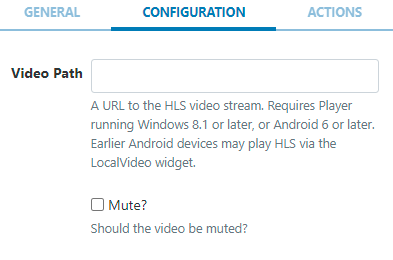
Provide a URL to the HLS Video stream.
Use the checkbox to mute/unmute the video stream.
Actions
Available from v3.0.0
Interactive Actions can be attached to this HLS Widget from the Actions tab. Please see the Interactive Actions page for more information.